5. Use XSTAF
| Page Status: | Development |
|---|---|
| Last Reviewed: |
5.1. Prepare XSTAF environment
5.1.1. Prepare XSTAF server
- For windows, you can download and use binary app
- For other system,
pip install XSTAF
5.2. XSTAF UI preview
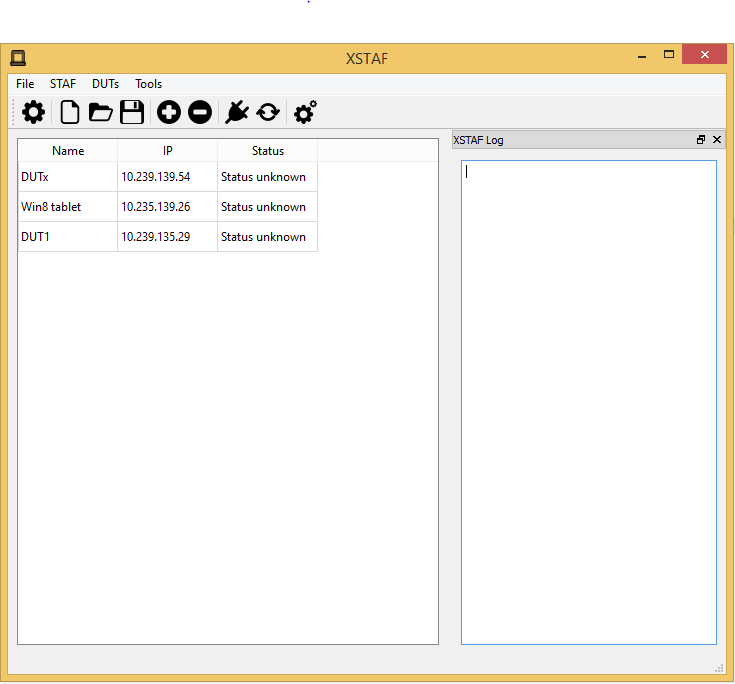
5.2.1. Server view
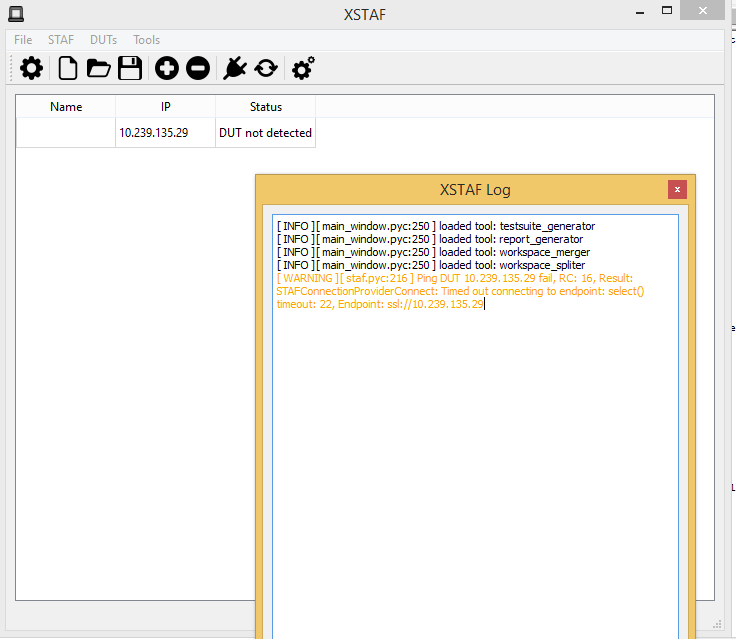
XSTAF has one server view per instance, server view is used to:
- manage workspace, new/load/save workspace
- manage DUTs for each workspace, add/delete DUT
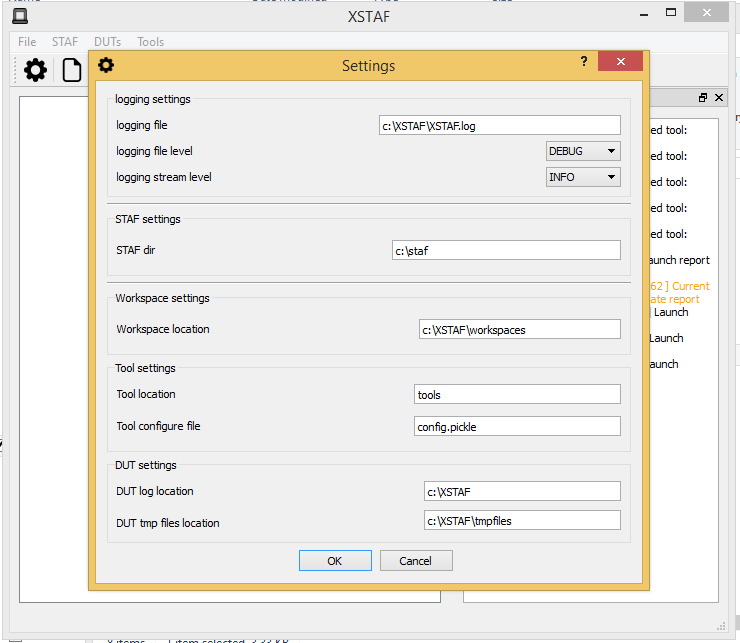
- settings
- manage tools, like report generator, test suite generator
- start STAF, check all DUTs status via STAF
5.2.2. DUT view
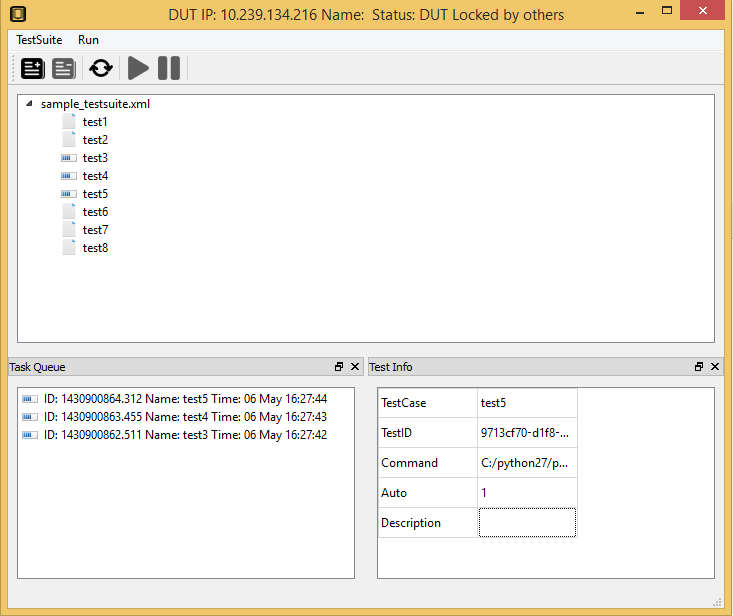
XSTAF could have multiple DUT views per instance, DUT view is used to:
- manage test suites for each DUT, add/delete test suite
- run test case, run individual test case/run a whole test suite/rerun fail cases
5.3. Use XSTAF step by step
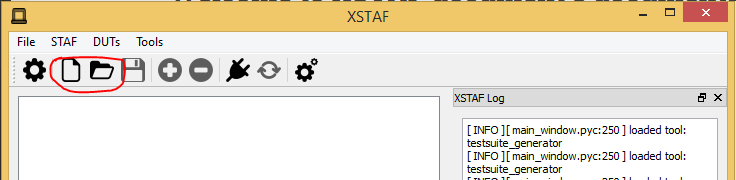
5.3.2. new or load existing workspace
5.3.3. add DUTs
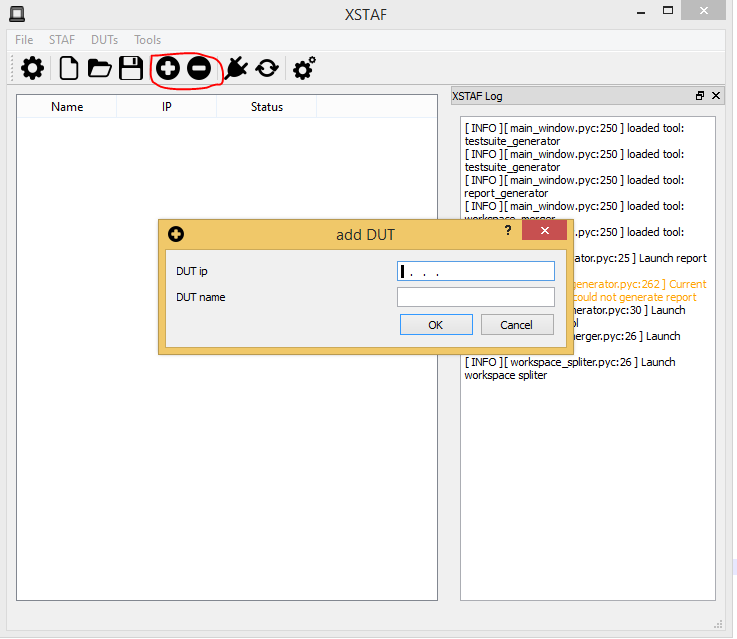
After you have new or load a workspace, you can add/delete DUTs into this workspace
Note
When adding DUT, DUT ip is required, DUT name is optional
5.3.4. add test suites for each DUT
Note
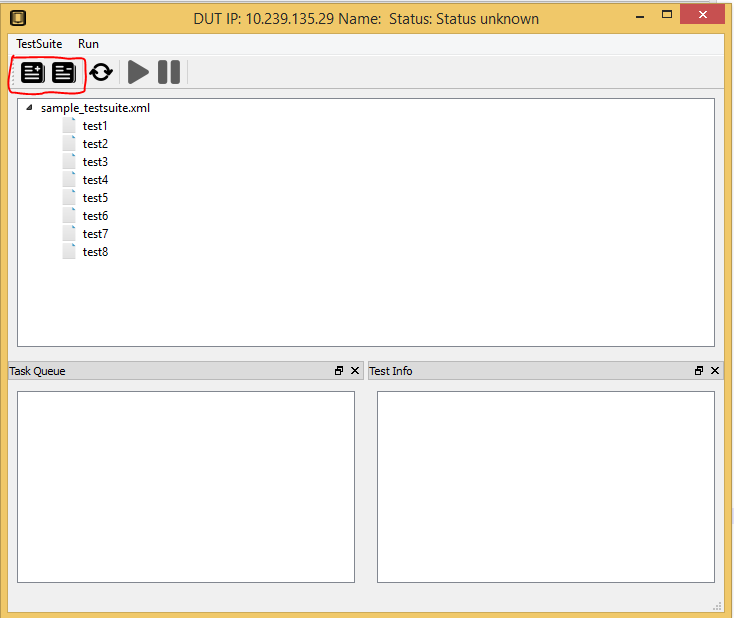
Double click/right click DUT raw, can open DUT view. On DUT view you can add/delete test suite.
5.3.5. add test case to DUT task queue
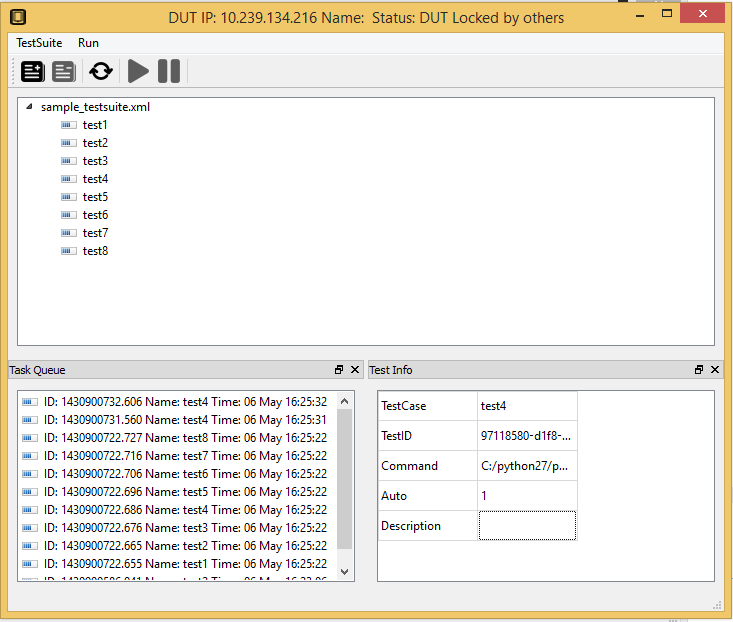
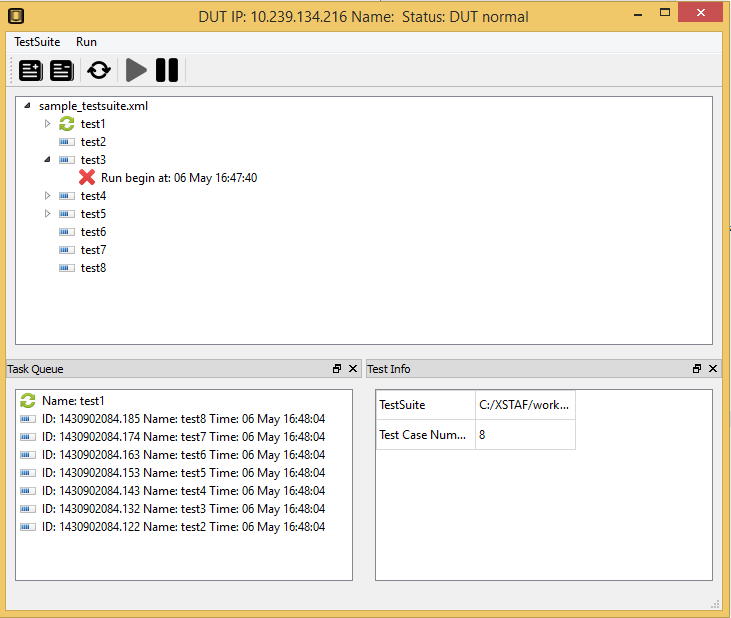
Each DUT has a task queue, tasks in task queue will be run on DUT one by one when task queue started.
Note
Right click at the test suite or test case, you can add test suite or test case to task queue
You can add same test suite/test case to task queue multiple times, then these test suite/test case will be run multiple times
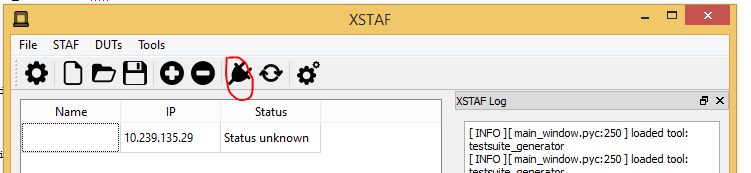
5.3.6. start STAF
You can manage DUTs and test suites in workspace without enabling STAF, but if you want to execute test case on DUT, then you need to start STAF
You can start STAF by using STAF launcher, like startSTAFProc.bat on windows. Or you can use XSTAF to start STAF
5.3.7. Check DUT status
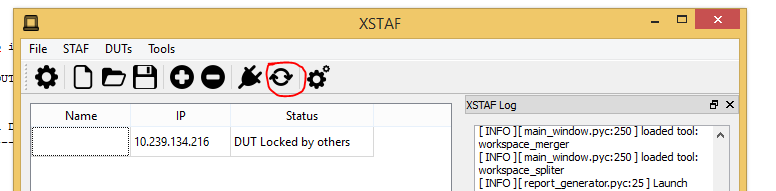
After start STAF, you can check DUTs status
Note
If you start STAF not via XSTAF, you must check status in server view before run task
Note
Check status take longer time if you have a lot of DUTs in your workspace, to check specified DUT status, you can check status in DUT view
Check status take longer time if the DUT is not detected.
5.3.8. start task queue
If you DUT status is normal, then you can start task queue of this DUT, test cases in task queue will run synchronously.
5.3.9. generate test report
XSTAF has a built-in test report tool, to generate html report for one workspace. You can just use this test report tool, or write a your own customized report tool.
5.4. XSTAF Trouble shooting
XSTAF could have bugs since it’s a new tool, not have been used and test thoroughly.
5.4.1. XSTAF logger
XSTAF provide a logger, with it you can see what is happening inside the XSTAF when bug happens. If you are a python developer, you maybe can fix it yourself and push the fix to github. Or you can just report a bug to me.